Skip to Main Content
Sign In
Sign In

Best Computer Mounts With Reviews

Top-rated customer favorites with reviews

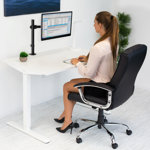
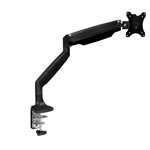
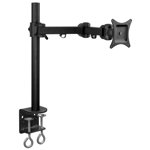
Mount-It! Full Motion Height Adjustable Single Monitor Arm Mount | Fits 13 - 32 in. TVs with C-Clamp

Mount-It! Full Motion Height Adjustable Single Monitor Arm Mount | Fits 13 - 32 in. TVs with C-Clamp

$37.99

Rated 5 out of 5 stars.

03/14/2025
A perfect monitor mount for no wasted desk space.
As a ham radio operator for over 53 years, my radio station has grown to incorporate a fair amount of equipment.  Aside form a TV mounted on the wall, a PC and an APPLE Mac are used for radio operations, web site management for work, and other internet research. That means besides the radio gear, a TV, PC and Mac monitors are arranged at the desk.  The largest and most used; a wonderful BENQ monitor on the Mac mini.  But no place to put it with all of the other equipment.  Except perhaps, some sort of stand on the desk.   I did some research and quickly found the MOUNT-IT, single monitor desk mount stand w/VESA plate to fit my monitor.  The reviews all looked great so I purchased one.  Easy setup and wow, is this a solid mount for my monitor.  Center stage at my desk, right above my primary radio transceiver.  It stays aligned in any position I want.  I highly recommend this product for any parameter you might like to measure.  That includes its logical assembly document with only one slight suggestion to MOUNT-IT.  Before assembly is begun, it is natural I think, to wonder where the minimal, but different size and head-type of machine screws need to be used.  That becomes self-evident as you proceed but I would still like clarification on paper that I have the right quantities, and where they will be used before I put anything together.  It all worked out fine.  You will end up with some screws that are not used, depending on the VESA mount screw-thread size on your 75, or 100mm spaced, monitor.
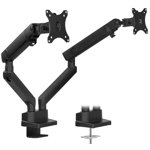
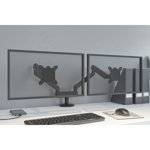
Mount-It Height Adjustable Articulating Dual Monitor Arm Mount Desk Stand | For 17 - 32 in. Screens

Mount-It Height Adjustable Articulating Dual Monitor Arm Mount Desk Stand | For 17 - 32 in. Screens

$137.99

Rated 4 out of 5 stars.

05/04/2020
Very solid build, easy to assemble and adjust
Love having the ability to adjust my monitors. Goodbye monitor stands! Now I can separate them, put them together, turn them 90 degrees, raise or lower them. Bring them closer... whatever I want really. And everything I do with them affects nothing on my desk. You will need some room behind your desk for the arms, but not too much (I had to pull my desk from the wall a few inches). Otherwise, a high quality device that is totally worth every penny. 4 stars because no matter how hard I pushed, one of the arms simply would not sit flush on one of the two pegs on the desk clamp. The other one slid perfectly but this one left about a half inch of silver post showing. I even removed the tightening screw and it still wouldn't push down. However, it did not affect usage so I kept it and chose to live with it. My focus isn't on that area anyway. And as long as it does what it's supposed to do, I'm happy. I think my setup just has a small manufacturing defect and I can't imagine it's like this with every kit. This is a high quality device that will probably last 20 years or more. By then, we'll all have lightweight virtual reality glasses. But until then, I highly recommend these for your monitors. I'm sporting two 21" Asus monitors. The screws were in the right place and the installation was simple. Very happy with purchase.
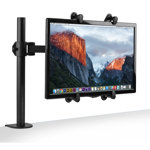
Mount-It! VESA Mount Adapter Mounting Kit for Non-VESA HP ACER Samsung DELL Asus Monitors 13" to 27"

Mount-It! VESA Mount Adapter Mounting Kit for Non-VESA HP ACER Samsung DELL Asus Monitors 13" to 27"

$19.99

Rated 4 out of 5 stars.

03/12/2018
Use an adjustable wrench and allow an hour to install
It does what it's supposed to do, but it took me almost an hour to make it work. The directions are just illustrations, which are neither detailed nor large. The little wrench is terrible. It's just a bit too big and doesn't grip the nuts very well, so I ended up using an adjustable wrench. At first, I put the VESA plate on backwards, but then I realized my mistake. Here are my installation takeaways: - Don't tighten anything down too much because you'll need to adjust the arm length and placement. The little hook-grippy-things shouldn't be tightened all the way, either. - Don't put more than one bolt in the sliding metal arms. I started by putting two in each arm, but ended up using just one in each arm. I think it's easier to add them than to take them out. - Maybe it's obvious to everyone else, but it didn't occur to me that the different length bolts for the hook-grippy-things were to accommodate different monitor depths. I'm glad I used the medium-length bolt on the first try! - The little buttons that cover the bolts on the hook-grippy-things have an interior spoke that's longer than the others. That spoke fits into a groove in the hook-grippy-things. Don't waste your time forcing that button into the hole.Overall, I think it's a good product. It holds the monitor just fine and attaches to my monitor mount's VESA plate, so it works. Just make sure you have a Phillips-head screwdriver, an adjustable wrench and a good hour to toy with it.
ServerT:1.9780719280243