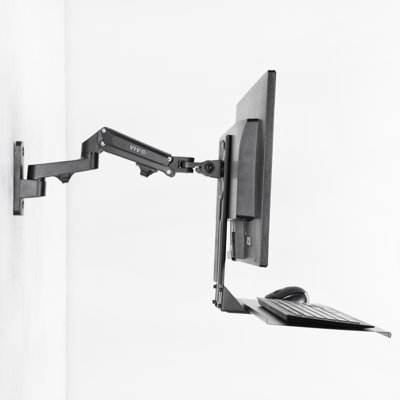
Most people shopping for a monitor arm land between two options: friction arms under $30 that hold position today and sag tomorrow, and Ergotron-class arms at $150 that are excellent but hard to justify for a home desk. The F80N is the third option. Gas spring mechanism, 20.9 inches of reach, 115° of tilt range, both mounting options in the box — at under $50. It's ELG's most sold product worldwide, and it's been that way for years.
<b>What's the difference between a gas spring arm and a friction joint arm?</b>
A friction joint arm holds position by tightening metal joints against each other. Over weeks or months of adjusting, those joints loosen. The arm starts to drift slowly downward, or it gets stiff enough that moving it requires real force. The only fix is to re-tighten the joints — and then the cycle repeats. A gas spring arm holds position through constant calibrated pressure from a sealed gas cylinder inside the arm. The pressure is always there, whether you adjusted the arm an hour ago or six months ago. The F80N uses a gas spring. You move the monitor, let go, and it stays exactly where you put it.
<b>How far does the arm actually reach, and why does it matter?</b>
The F80N's arm extends up to 20.9 inches (53cm) from the base. Most budget arms in this price range reach 8 to 12 inches. The difference matters because a short arm can't get the monitor to where you actually sit — the screen ends up too far back, toward the wall, and you end up leaning forward or pushing the desk backward to compensate. At 20.9 inches, the F80N extends the monitor over your keyboard and into your natural line of sight. For reference, the Ergotron LX — the most recommended professional monitor arm at $150+ — has comparable reach. The F80N matches it at a fraction of the price.
<b>What does the +85°/-30° tilt range mean in practice?</b>
The VESA head tilts +85° backward and -30° forward, giving you 115° of total tilt range. For comparison, most budget monitor arms offer ±15° — 30° total. The practical difference shows up most in two scenarios: standing desk setups, where the monitor is positioned higher and needs to tilt downward toward the user (-30° covers this), and accessibility or specialized configurations where maximum backward tilt is needed. For standard seated desk use, a small forward or backward adjustment is all you'll ever need — but the F80N has no mechanical constraint if your setup is unusual.
<b>What screens does the F80N support?</b>
The arm supports 17" to 35" monitors weighing 4.4 to 19.8 lbs, with VESA 75x75mm and 100x100mm mounting patterns. That covers standard 24" and 27" 1080p and 4K displays, 32" curved monitors, and most 34" and 35" ultrawides. Weight capacity 19.8 lbs is above the spec of most consumer monitors in this size range. If your screen weighs more than 19.8 lbs — rare for desktop monitors — check the spec sheet before purchasing.
<b>What mounting options are included, and how does installation work?</b>
Both C-clamp and grommet hardware ship in the box. The C-clamp attaches to the edge of the desk and fits any desk 0.39" to 3.5" thick — covering the vast majority of solid wood, MDF, and metal desks. The grommet mounts through a hole in the desk surface. Three-step installation: choose your mount type, attach it to the desk, mount the monitor on the VESA plate. No extra tools needed beyond what's included.
<b>How long will the gas spring last?</b>
ELG tests the F80N's gas spring mechanism to 20,000 adjustment cycles. At one adjustment per day, that's over 54 years. At five adjustments per day — repositioning morning, midday, and a few times between — that's still over 10 years. The mechanism includes a tension adjustment screw that lets you calibrate resistance for your specific monitor weight, which keeps the hold accurate over time as you swap monitors.
Built by ELG, specializing in AV and ergonomic mounting solutions since 2002. Sold in over 30 countries worldwide. The F80N carries NR17 ergonomic certification.