ELG
Brand name - ELG
Way Day Deal
- Fast Delivery
to:



ELG
25 Items

ELG Full Motion TV Wall Mount, Ultra-Slim 2.16" Low Profile, 19.7" Extension, Swivel & Tilt, 26-65" Screens up to 83.7 lbs, VESA 100x100 to 400x400mm, Pre-Assembled, Steel, Black
By ELG
Rated 4.9 out of 5 stars.19 total votes
Get it by Thu, Oct 29
Some TV mounts let you reposition your screen. This one disappears into the wall the rest of the time. <b>Why the Slim Profile Matters</b> Most full motion TV mounts sit 2.5 to 4 inches from the wall when retracted. The ELG A02V4N retracts to 2.16 inches — close enough that the TV looks flush, like it was always meant to be there. If your TV is mounted in a bedroom, living room, or anywhere the aesthetics matter beyond "does it hold," the retracted profile is the detail that separates a clean installation from one that looks bolted on. <b>How Much Does It Move?</b> Extends from 2.16 to 19.7 inches. Swivels up to 90° left or right. Tilts +5° up and -8° down. Levels ±4° after installation — no need to rehang to straighten it. No tools required to adjust any of these once the mount is on the wall. <b>Will It Fit My TV?</b> Supports 26 to 65-inch flat and curved TVs weighing up to 83.7 lbs. Compatible with VESA mounting patterns from 100x100mm to 400x400mm, covering the majority of major TV brands in this size range. To confirm fit: find your TV's VESA measurement in the owner's manual, on the label on the back of the TV, or in the TV's Settings menu under "About" or "System Info." <b>What Wall Types Does It Work On?</b> Compatible with single or dual 16-inch and 24-inch wood studs, concrete, and brick. For drywall-only walls (no studs behind where you want to mount), toggle bolts are required and are not included. Always confirm there is adequate structural support behind the wall before mounting. <b>What's in the Box?</b> Wall bracket, TV bracket, articulating arm, screws, washers, spacers (for various TV models), bubble level, and step-by-step installation guide. The arm arrives mostly pre-assembled. <b>Will the TV Drift or Sag After I Position It?</b> No. The locking mechanism holds the arm in position at any extension point — whether fully retracted at 2.16 inches or extended to 19.7 inches. Carbon steel construction with anti-corrosion epoxy finish supports stable positioning for everyday use. Built by ELG, a brand specializing in AV mounting solutions since 2002, sold across more than 30 countries.
We didn’t like the way it fit our TV because it couldn’t move down. We just picked the wrong one.. Barbara. Ketchum, ID. Wed Oct 14 2026
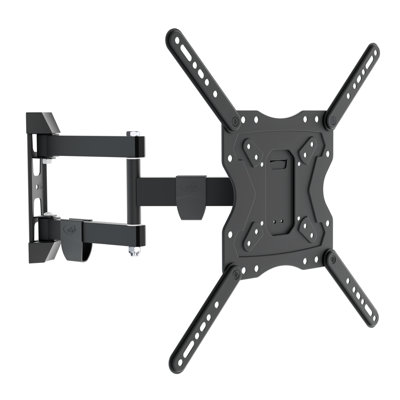
ELG Full Motion TV Wall Mount, 26"-65" TVs up to 66.1 lbs, 16" Reach, 3-Joint Arm, Swivel, Tilt, VESA 75x75 to 400x400mm, Pre-Assembled, Carbon Steel, Black
By ELG
Rated 4.9 out of 5 stars.13 total votes
Get it by Thu, Oct 29
The FULL40_PRO is a full-motion tri-articulated TV wall mount for screens from 26" to 65". The arm extends 16 inches from the wall — 6 inches more than the base FULL40 — swivels 90° in both directions, and tilts 20° downward or 5° upward. A third articulation joint lets the arm bend at mid-point, offsetting the TV horizontally from the wall attachment point. VESA compatibility spans 75×75mm to 400×400mm. Carbon steel with electrostatic epoxy anti-corrosion coating. `<b>What's the difference between the FULL40 and the FULL40_PRO?</b>` One number: reach. The FULL40 arm extends 10 inches from the wall. The FULL40_PRO arm extends 16 inches. Both have the same tilt range (-20°/+5°), weight capacity, and VESA compatibility. The PRO also adds a third articulation joint — the arm can bend at mid-point, not just extend and retract. This means the TV can be offset horizontally from the wall attachment, not just pushed straight forward. If you need more distance from the wall, or your mounting point isn't directly behind where the TV should hang, the PRO is the right choice. If 10 inches of reach is enough and the stud lines up, the base FULL40 is simpler. `<b>When do I actually need 16 inches of reach on a large-screen TV?</b>` When 10 inches isn't enough. Common situations: the TV is mounted above a wide entertainment console and needs to clear it when extended; the room has a column or partial wall that the arm needs to swing around; the ideal viewing position requires the TV to be significantly further from the wall than a short arm allows. At 16 inches, the FULL40_PRO covers nearly all residential configurations for 50", 55", and 65" panels. When not extended, the arm retracts to 2.87 inches — sitting close to the wall and out of the way. `<b>What does a 3-joint arm let me do that a 2-joint arm doesn't?</b>` A 2-joint arm extends and retracts in one direction — straight out from the wall. A 3-joint arm can also flex at the mid-point, allowing the arm to adopt an angled geometry. The practical result: you can drill into a wall stud that isn't centered behind your TV position, and still have the TV centered where you want it. For corner-room setups, installations over fireplaces, or walls where the stud and the ideal TV position don't line up, the third joint removes the constraint. With a 2-joint arm, you're limited to mounting directly behind the TV. `<b>Will the FULL40_PRO hold my TV at full extension?</b>` The mount holds 66.1 lbs (30 kg) at full extension. A 55" TV typically weighs 35–50 lbs — well within spec. A 65" TV can weigh 50–65 lbs; most fall under 66.1 lbs, but check your TV's weight spec before mounting a heavier panel. The arm holds position through the full range — swivel, tilt, and extension — without sag or drift under load. Compatible with flat and curved TVs from 26" to 65" with VESA patterns from 75×75mm to 400×400mm. `<b>What walls can it mount to, and what's in the box?</b>` The FULL40_PRO installs on wood studs, brick walls, and concrete surfaces. The mount ships pre-assembled — no assembly required before installation. The box includes complete hardware kits for both wall and TV installation, a built-in bubble level, cable organizer, and plastic covers for a clean screw finish. All hardware needed for a standard installation is included. Built by ELG, specializing in AV and ergonomic mounting solutions since 2002. Products available in 30+ countries.
Perfect! exactly what I was looking for.. Judy. Pasadena. Tue Oct 20 2026

ELG Full Motion TV Wall Mount, 26"-60" TVs up to 66.1 lbs, VESA 75x75 to 400x400mm, Swivel, Tilt, 10" Reach, Pre-Assembled, Bubble Level, Carbon Steel, Black
By ELG
Rated 4.7 out of 5 stars.15 total votes
Get it by Thu, Oct 29
The FULL40 is a full-motion articulating TV wall mount for screens from 26" to 60". The arm extends 10 inches out from the wall, swivels 90° in both directions, and tilts 20° downward — enough to mount the TV high and still angle it toward the viewer from across the room. VESA compatibility spans 75×75mm to 400×400mm, covering virtually every mounting pattern on the market. Carbon steel construction with electrostatic epoxy anti-corrosion coating. `<b>What makes the FULL40 stand out in this size class?</b>` One feature most buyers overlook: the VESA minimum. Most full-motion mounts in this category start at VESA 200×200mm. The FULL40 starts at 75×75mm — and goes all the way to 400×400mm. That means it covers standard large-screen patterns (400×400, 300×300, 200×200) alongside the smaller, less common patterns found on older panels, specialty displays, or non-standard configurations. If you've ever had a mount arrive and discovered it didn't fit — the FULL40's range is why that doesn't happen here. `<b>Does the FULL40 handle the weight of a 50", 55", or 60" TV?</b>` The FULL40 holds up to 66.1 lbs (30 kg). A typical 50" TV weighs 30–45 lbs — well within spec. A 55" TV typically weighs 35–50 lbs — also within spec. A 60" TV can weigh up to 60–65 lbs; most fall under 66.1 lbs, but heavier models can approach the limit. Before mounting a 60" panel, check the TV's weight in its spec sheet or on the manufacturer's site. For 55" and under, the FULL40 covers the full weight range of all standard consumer TVs in this size. `<b>What does "full motion" mean in practice for a living room TV?</b>` The arm extends 10 inches (26.1cm) out from the wall, swivels 90° left or right, and tilts 20° downward or 5° upward. When not in use, it folds back to 2.80 inches from the wall. In a living room, this means: pull the TV out for a movie and push it back when not watching; swing it toward the dining area when cooking; tilt it 20° down if mounted above a console or fireplace. The 20° downward tilt is particularly useful for large-screen installations — a 55" or 60" TV mounted high on the wall needs to angle toward the viewer, not face straight out. A fixed mount provides none of these adjustments after installation. `<b>How do I know if my TV is compatible?</b>` Check two things: screen size and VESA pattern. The FULL40 fits TVs from 26" to 60" and supports VESA patterns from 75×75mm to 400×400mm — including 75×75, 100×100, 200×100, 200×200, 300×200, 300×300, 400×200, and 400×400mm. Also check the TV's weight: the mount holds up to 66.1 lbs (30 kg). Your TV's VESA pattern is printed in the owner's manual or on a label on the back panel. Most 55" and 60" TVs use VESA 400×400mm or 300×300mm — both supported. `<b>What walls can it mount to, and what's in the box?</b>` The FULL40 installs on wood studs, brick walls, and concrete surfaces. The mount ships pre-assembled — no assembly required. The box includes complete hardware kits for both wall and TV installation, a built-in bubble level for alignment, and a cable organizer. All screws, bolts, and spacers for a standard installation are included. Built by ELG, specializing in AV and ergonomic mounting solutions since 2002. Products available in 30+ countries.
I love it. Nataysha. Greensboro, NC. Thu Sep 24 2026

ELG Full Motion TV Wall Mount, 12"-42" TVs up to 66.1 lbs, 16" Reach, 3-Joint Arm, Swivel, Tilt, VESA 100x100 to 200x200mm, Pre-Assembled, Bubble Level, Carbon Steel, Black
By ELG
Rated 4.8 out of 5 stars.8 total votes
Get it by Thu, Oct 29
`<b>What's the difference between the FULL20 and the FULL20_PRO?</b>` One number: reach. The FULL20_PRO arm extends 16 inches from the wall. The standard FULL20 extends 10 inches. Both share the same tilt range (-20° down / +5° up), weight capacity (66.1 lbs), and VESA compatibility. The PRO also has three articulation joints instead of two, meaning the arm can bend at a midpoint — allowing the TV to be offset horizontally from the wall attachment, not just pushed straight forward. If you need the TV to travel further, angle around furniture, or position away from a non-centered stud, the PRO is the right choice. The standard FULL20 is for installations where a shorter, simpler arm is all that's needed. `<b>When do I actually need 16 inches of reach?</b>` When 10 inches isn't enough. Typical situations: the TV is mounted above or behind a wide entertainment console and needs to clear it when extended; the room has a mounting column or partial wall and the TV needs to swing around it; the viewing angle requires the TV to be pulled significantly forward from the wall — further than a short arm can reach. At 16 inches, the FULL20_PRO covers nearly all residential configurations. The arm also retracts to 2.76 inches when not extended, sitting close to the wall when you want it out of the way. `<b>What does a 3-joint arm let me do that a 2-joint arm doesn't?</b>` A two-joint arm extends and retracts in one direction: straight out from the wall. A three-joint arm can also flex at the mid-point, allowing the arm to adopt an angled or offset geometry. In practice, this means: you can drill into a stud that isn't centered behind your TV position, and still have the TV centered where you want it. For corner-room setups or installations where stud location doesn't line up with TV placement, the extra joint is the difference between a clean install and a compromised one. `<b>Will the FULL20_PRO hold my TV at full extension?</b>` Yes. The mount holds 66.1 lbs (30 kg) at full extension. Most competing mounts in this VESA size class cap at 40–44 lbs. For a 40" or 42" TV — which typically weighs 20–40 lbs — the FULL20_PRO has a meaningful safety margin even with the arm fully extended. Compatible with flat and curved TVs from 12" to 42" with VESA patterns 100×100mm, 200×100mm, and 200×200mm. `<b>What walls can it mount to, and what's in the box?</b>` Installs on masonry walls (brick or concrete block) and wood panel or MDF surfaces. The mount ships pre-assembled. The box includes complete hardware kits for wall and TV installation, a built-in bubble level, cable organizer, safety screw, and M8×50 extra-long screws — specifically useful for thin-bezel Samsung and similar TVs that require longer bolts to reach the mounting threads. Built by ELG, specializing in AV and ergonomic mounting solutions since 2002. Products available in 30+ countries.
No problems super easy to install the television. Johanna. US. Tue Aug 04 2026

ELG Indoor Security Camera SHCI603K2, 2-Pack, 1080P WiFi, SOS Button, Night Vision, Two-Way Audio, Motion Detection, 128GB SD + Cloud, White
By ELG
Rated 1 out of 5 stars.1 total vote
Get it by Thu, Oct 29
The ELG SHCI603K2 is a 2-pack of the SHCI603 indoor security camera — two 1080P Wi-Fi cameras in one order, both managed from the free ELG Connect app. Each camera has its own SOS button: one press sends a call-style notification to your designated contact, who can see live video and speak in real time. A feature no Wyze, Tapo, or Blink 2-pack offers. <b>Why Buy the 2-Pack Instead of Two Individual Cameras?</b> Same cameras. Bundled price. One delivery, one setup session, consistent hardware across both rooms. Both cameras appear in the ELG Connect app from the moment you add them — no switching between accounts or apps. <b>What Can I Cover With Two Cameras?</b> Typical setups: living room + nursery, front entryway + back door, bedroom + hallway, kitchen + garage interior, or two floors of a home. Each camera has a 110° wide-angle lens that covers full rooms without needing to pan. For coverage beyond two rooms, ELG Connect supports multiple devices under the same account. <b>Does Each Camera Have Its Own SOS Button — With a Different Contact?</b> Yes, and they work independently. Each camera has its own physical SOS button and its own assigned SOS contact inside the ELG Connect app. Camera 1 can call a spouse; Camera 2 can call a neighbor or another family member. When the button is pressed, that specific contact receives a call-style push notification with live video and an open two-way audio channel — no siren, no alarm sound. A quiet, direct call to the right person for that room. Designed for homes monitoring elderly relatives, children, or anyone who needs a room-specific emergency contact. <b>Does Each Camera Store Footage Independently?</b> Yes. Each camera has its own microSD card slot (up to 128GB per camera — cards not included). Footage from Camera 1 and Camera 2 is stored separately on their own cards. Cloud storage is also available as a paid service per camera. No subscription is required to record locally. <b>Can I Set Different Detection Zones for Each Camera?</b> Yes. Motion detection zone and sensitivity are configured independently per camera inside the ELG Connect app. You can set Camera 1 to detect movement near a door and Camera 2 to detect sound near a crib — no interference between the two setups. Privacy mode can also be toggled independently per camera. <b>What Are the Wi-Fi and App Requirements?</b> Both cameras connect to 2.4 GHz Wi-Fi (not 5 GHz). No hub required. App: ELG Connect — free on iOS 9.0+ and Android 5.0+. Each camera is added to the app via QR code pairing. Setup takes approximately 10 minutes per camera. USB-C powered with auto dual-voltage adapters (110–240V) included. <b>Can These Cameras Connect to an NVR?</b> Yes. Both cameras support ONVIF Profile S for integration with network video recorders and professional monitoring systems. Up to 16 users can monitor each camera simultaneously in real time. <b>What's in the Box?</b> 2× 1080P SHCI603 indoor cameras (White) · 2× 5V USB-C power supplies · 2× USB-C cables · 2× mounting kits and hardware · 2× pin keys · 2× decorative antennas · 2× user manuals. MicroSD cards not included. <b>Warranty</b> 1-year limited warranty per unit against manufacturing defects. Contact ELG support for warranty claims. Built by ELG, specialists in smart home, AV, and security solutions with products in more than 30 countries.
Returning them not what I expected and they don’t hook to WiFi garbage!. Dawn. US. Mon Aug 24 2026
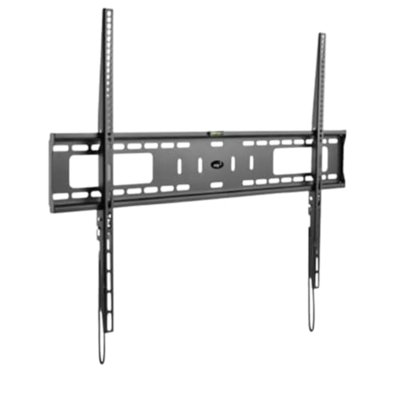
ELG Fixed Low-Profile TV Wall Mount 55"–100", 165 lbs, 1.18" Profile, Auto-Lock Quick Release, VESA 900×600, Fits 12"/16"/18"/24" Studs, Carbon Steel, N01V8, Black
By ELG
Rated 5 out of 5 stars.1 total vote
Get it by Thu, Oct 29
A 75-inch TV weighs around 80–100 lbs and has a VESA pattern of 600×400mm or larger. A standard fixed mount rated for 50–75 inch TVs won't fit. The ELG N01V8 is built specifically for large screens: it holds up to 165 lbs, accommodates VESA patterns up to 900×600mm, and fits four stud spacings (12", 16", 18", and 24") so it works whether you're mounting in a living room, home theater, or commercial space. The result: 1.18 inches between your TV and the wall. <b>What Is the Auto-Lock System, and How Does It Work?</b> The N01V8 uses a two-piece system: a wall plate you screw into the wall, and a TV bracket that bolts to the back of your TV. When you lower the TV onto the wall plate, a mechanical locking mechanism engages automatically — no screwdriver needed to secure the TV. To remove it, pull the built-in release straps to disengage the lock, then lift the TV off. This makes it practical to remove a large TV for HDMI cable access or repositioning without a full dismount — useful when the TV is too heavy to hold while fumbling with screws. <b>How Do I Know If My TV Is Compatible?</b> Check three things. TV size: the N01V8 fits 55"–100" screens. VESA pattern: look at the back of your TV and measure the distance between the four mounting bolt holes (in millimeters, horizontal × vertical). The N01V8 supports patterns from 100×100mm up to 900×600mm — which covers virtually all 55"–100" TVs from major brands. Weight: the mount holds up to 165 lbs (75 kg). Compatible TV types: LED, LCD, OLED, and Plasma. Works with Samsung, LG, Sony, Vizio, TCL, Hisense, and all VESA-standard TVs. <b>What Does "Fixed" Mean — Can I Adjust the Angle After Mounting?</b> Fixed means the mount holds the TV in one position, flat against the wall. There is no tilt (up/down angle adjustment) and no swivel (left/right rotation). If your couch is directly in front of the TV and you have a good sightline from a fixed position, a fixed mount gives you the cleanest possible install. If you need to adjust the angle — for corner placement, multiple seating positions, or glare reduction — you want a tilt or full-motion mount instead. <b>Why Does This Mount Support Four Stud Spacings?</b> Standard residential construction uses 16-inch wood stud spacing. But large-screen TV installations happen in a variety of settings: commercial spaces (hotels, restaurants, conference rooms) often use 18-inch or 24-inch spacing; some older residential construction uses 12-inch spacing; and the wide wall plate needed for 55"–100" TVs often spans more than one stud. The N01V8 accommodates 12", 16", 18", and 24" spacing, which means it works in virtually any framed wall without modification. It also installs on concrete and brick walls with the included anchors. <b>How Does the Profile Compare to Other Mounts?</b> At 1.18 inches (30mm), the N01V8 places your TV closer to the wall than most fixed mounts for large TVs. For comparison, many large-TV mounts sit 2"–3" from the wall — noticeable when the TV is seen from the side. At 1.18", the TV appears nearly flush with the wall, similar to a large-format picture frame. Cable management will still need to exit from the back of the TV — plan your HDMI and power routing before mounting for a clean finish. Built by ELG, a brand specializing in AV and mounting accessories since 2002, available in 30+ countries.
Idris. Tue Oct 13 2026

Get it by Thu, Oct 29
The GENIUS is a fixed low-profile TV wall mount for screens from 14" to 75", rated at 220 lbs (100 kg). When installed, the TV sits 1.38 inches (3.5cm) from the wall — no arm, no visible bracket gap from the side. VESA compatibility spans 75×75mm to 800×400mm, covering every standard mounting pattern from compact displays to large-screen panels. Locking quick-release system for secure installation and easy cable access without uninstalling. Carbon steel and reinforced nylon construction with electrostatic epoxy anti-corrosion coating. `<b>How close does the GENIUS sit to the wall — what does it look like installed?</b>` At 1.38 inches (3.5cm), the TV sits closer to the wall than most fixed mounts, which typically hold the TV 1.5"–2" from the surface. From the front, the TV appears flush against the wall with no visible bracket hardware. From the side, the gap between screen edge and wall surface is minimal. This is what's typically called a "picture frame" installation — the TV looks integrated into the wall rather than mounted on hardware. The GENIUS supports both flat and curved panels at this distance. `<b>Will this hold my TV — how do I check weight and VESA compatibility? </b>` The GENIUS holds up to 220 lbs (100 kg) — approximately double the 99–130 lbs capacity standard in this category. A 75" TV typically weighs 80–120 lbs; the GENIUS covers the full weight range for any standard 75" panel. For VESA compatibility, the mount supports patterns from 75×75mm to 800×400mm, covering virtually every TV produced from 14" to 75". Check the VESA pattern on the label on the back of your TV, or in the owner's manual — it lists horizontal and vertical bolt spacing in millimeters. Most 55"–75" TVs use VESA 400×400mm or 600×400mm; both supported. `<b>How does the locking quick-release system work?</b>` The mount uses a two-part system: a wall bracket installs permanently on the wall, and a TV bracket attaches to the back of your TV. To hang the TV, hook the TV bracket onto the wall bracket and slide into position — the safety lock engages to prevent accidental displacement. The 4-point bracket holds the TV securely under load. To access ports behind the TV (HDMI, USB, power), release the safety lock, tilt the TV forward slightly, and re-engage when done. This eliminates the need to fully uninstall from the wall every time you need to add or swap a cable. `<b>What stud widths does it fit — and can it mount on brick or concrete? </b>` The GENIUS bracket spans 12", 16", 18", and 24" wood stud spacings without adapters. Standard residential construction uses 16" spacing, but older homes and custom-framed walls commonly use 12", 18", or 24". The mount also installs on brick and concrete using masonry hardware included in the kit. The included installation template marks exact drill points before you commit to holes — especially useful on masonry where repositioning is not practical after drilling. `<b>What's in the box?</b>` The box includes: wall mount bracket, TV bracket, complete hardware for wall installation (wood stud and masonry), complete hardware for attaching to your TV's VESA pattern, installation template for marking drill points, bubble level for alignment, and installation manual. Everything needed for a standard installation is included. Compatible with flat and curved TVs from 14" to 75" with VESA patterns from 75×75mm to 800×400mm, up to 220 lbs (100 kg). Built by ELG, specializing in AV and ergonomic mounting solutions since 2002. Products available in 30+ countries.

Get it by Thu, Oct 29
Most people put their TV on a stand because mounting looks complicated. A tilting mount simplifies that: one bracket on the wall, TV clicks in, angle adjusts by hand. <b>What Does 0.8 Inches From the Wall Actually Look Like?</b> The typical tilting TV bracket holds the TV 1.5 to 3 inches from the wall — enough that you can see a gap behind the screen from the side of the room. At 0.8 inches, that gap disappears. The TV sits so close to the surface it looks integrated into the wall rather than bolted onto it. If you care how the room looks when the TV is off, this is the spec that matters. <b>Does This Mount Tilt Up As Well As Down?</b> No — this mount tilts from flat (0°) to -10° downward. There is no upward tilt. Downward tilt covers the most common needs: eliminating glare from windows or overhead lights, and getting the right viewing angle when the TV is mounted above eye level — above a fireplace, high on a bedroom wall, or at standing height. The -10° range handles all of these. If you need upward tilt (TV is below eye level and you need to angle it upward), a full motion mount is the right choice. <b>What Is the Difference Between Tilting and Full Motion?</b> A tilting mount keeps the TV fixed against the wall — it only moves up and down on a vertical axis. A full motion mount also swivels left-right and extends outward on an articulating arm. If your TV stays in one place and you only need occasional angle adjustment, a tilting mount is simpler, thinner, and less expensive. If you need to face the TV toward different seating areas or access ports behind the screen regularly, full motion is the right choice. <b>Will It Fit My TV?</b> Supports 26 to 65-inch flat and curved TVs up to 99 lbs. Compatible with VESA patterns from 75x75mm to 400x400mm — this range covers most TVs from 26" entry-level through 65" premium panels. To confirm your TV's VESA: check the owner's manual, look at the label on the back panel, or go to Settings > About (varies by brand). <b>What Wall Types Does It Work On?</b> Compatible with 16-inch and 24-inch wood studs (single or dual), concrete, and brick. For drywall-only walls, toggle bolts are required (not included). <b>What's in the Box?</b> Tilting wall bracket (pre-assembled), mounting hardware for wall installation, mounting hardware for TV installation, built-in bubble level, and instruction manual. <b>Will the TV Stay at the Angle I Set?</b> Yes. The auto-lock system secures the bracket in place at any tilt angle once you position it. The quick-release handle lets you detach the TV from the bracket without tools when you need to access rear ports or swap the TV out. Built by ELG, a brand specializing in AV mounting solutions since 2002, sold across more than 30 countries.
Get it by Thu, Oct 29
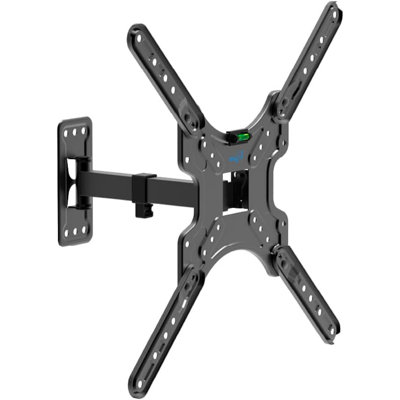
A fixed TV mount holds the TV in one position. If you're across the room at a different angle, or the afternoon sun creates a glare on the screen, there's nothing to adjust. The ELG MT400AR is a full-motion mount: the arm swivels up to 90° left or right, tilts +5° up or -10° down, and extends up to 10" from the wall. The TV faces where you need it — not just where the wall happens to be. <b>What Does "Full-Motion" Actually Mean?</b> Full-motion means the TV mount arm can do three things simultaneously: swivel (rotate left or right), tilt (angle up or down), and extend (move out from the wall). A fixed mount can do none of these. A tilt-only mount can tilt but not swivel or extend. Full-motion mounts are the most flexible type — useful when you need the TV to face a different direction depending on where you're sitting, or when you want to adjust the angle seasonally as sunlight patterns change. Note on swivel range: the MT400AR supports up to 90° of rotation in each direction, but the actual range achievable may be slightly less for larger TVs, since a wider panel requires more clearance to clear the wall at full swing. <b>What Is a "Single-Stud" Mount, and Do I Need One?</b> Most walls have vertical wooden studs spaced 16" or 24" apart. A standard TV mount requires two studs — which means your TV's VESA bracket has to align with both. If your studs are in the wrong position, or your TV is smaller than the stud spacing, you're stuck. A single-stud mount like the MT400AR attaches to one stud, giving you far more flexibility in where on the wall the TV goes. If you're mounting in an apartment, a bedroom with limited wall space, or a room where the stud placement doesn't cooperate, single-stud installation is the practical solution. <b>How Do I Know If My TV Is Compatible?</b> You need to check three things. First, TV size: the MT400AR fits 26"–60" TVs. Second, VESA pattern: look at the back of your TV — you'll see four bolt holes arranged in a rectangle. Measure the horizontal and vertical distance between them (in millimeters). If that pattern is between 75×75mm and 400×400mm, the mount fits. Third, weight: the MT400AR holds up to 66 lbs (30 kg). Most TVs in the 26"–60" range are well under this limit. Compatible TV types: LED, LCD, Plasma, and 3D. <b>How Hard Is the Installation?</b> The MT400AR ships pre-assembled from the factory — the arm mechanism is already put together. You don't need to assemble the moving parts. Installation is three steps: mount the wall plate to a wall stud, attach the TV bracket to the back of your TV, then hang the TV on the wall plate. The kit includes a built-in bubble level so you can confirm the mount is straight before drilling. All bolts, anchors, and washers are included. Compatible with wood studs, concrete, and brick walls. <b>What Is the Cable Organizer, and Does It Actually Help?</b> The included cable channel clips to the back of the mount arm. HDMI and power cables thread through it, keeping them tucked behind the arm instead of hanging loose. When you extend or swivel the TV, the cables move with the arm rather than pulling tight. It's not a full in-wall cable concealment system, but it eliminates the loose-wire look that most wall-mount installs produce. Built by ELG, a brand specializing in AV and mounting accessories since 2002, available in 30+ countries.

ELG A03V8XL Tilting TV Wall Mount 55–100″ Heavy-Duty Slim Profile VESA 100×100 To 900×600mm 165 Lb
By ELG
Get it by Thu, Oct 29
The ELG A03V8XL Tilting TV Wall Mount, made for heavy-duty strength and suitable for 55-100 inch TVs, will enhance your entertainment setup. This sleek profile wall mount is made of reinforced carbon steel and can hold up to 165 pounds, so your big screen will always be safe and secure. The universal VESA compatibility (100x100 to 900x600mm) makes it suitable for major brands like Samsung, LG, Sony, TCL, Hisense, and Vizio. Enjoy a comfortable viewing experience with an adjustable 10° tilt, reducing glare and improving visibility from any angle. Its low-profile design (3.35") keeps your TV close to the wall for a clean, modern look while maintaining easy access to cables. With an easy 3-step installation, built-in bubble level, and Easy Lock System, you can mount your TV quickly and confidently. Perfect for living rooms, offices, or commercial displays, the ELG A03V8XL combines durability, safety, and style, backed by ELG’s 3-year warranty and trusted global quality.
Get it by Thu, Oct 29
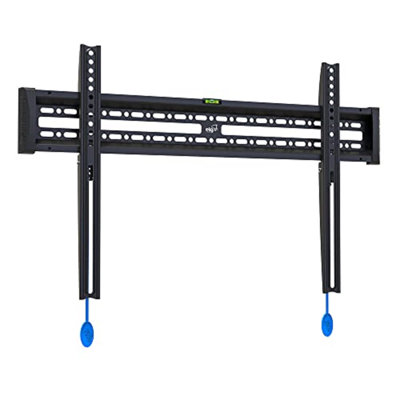
Most fixed TV wall mounts are brackets. You lift the TV onto hooks, hope it's seated correctly, and that's it. The E600 works differently. <b>What Makes the Auto-Lock System Different?</b> Lower your TV onto the E600 bracket and it clicks locked automatically — the same click you feel when a deadbolt engages. The TV is secure the moment it's in place. When you need to access the ports behind the TV or remove it entirely, pull two release strings. That's it. No tools, no lifting and fumbling while someone holds the TV. This system is uncommon at this price point. <b>How Slim Is 1.14 Inches?</b> Your TV sits 1.14 inches from the wall — just over an inch. At this profile, the TV looks flush rather than mounted. Most basic fixed brackets sit 1.5 to 2 inches from the wall. Ultra-slim premium mounts (SANUS BLL2, ~$79) reach 0.67 inches. The E600 lands in between, at roughly a third of the SANUS price. <b>Will It Fit My TV?</b> Compatible with most flat-screen TVs from 40 to 86 inches, supporting VESA patterns from 200x100mm to 600x400mm, up to 110 lbs. This covers the majority of Samsung, LG, Sony, Vizio, TCL, and Hisense TVs in this range. To confirm fit, find your TV's VESA specification in the owner's manual, on the label on the back of the TV, or in the TV's Settings menu. <b>What Wall Types Does It Work On?</b> Compatible with 12", 16", 18", and 24" wood studs, concrete, and brick. For drywall-only walls with no studs, toggle bolts are required and not included. Locate your studs before you begin installation. <b>What's in the Box?</b> Wall bracket, TV bracket, screws, washers, spacers, bubble level, and step-by-step installation guide. The spacers allow you to increase the TV-to-wall distance by up to 2 inches if you need clearance for cables or ports behind the TV without using the quick-release system. <b>Will the TV Stay Level Over Time?</b> Yes. Carbon steel construction with anti-corrosion coating. Unlike thin sheet-metal brackets, the mount holds your TV at the angle you set it — no tilt creep over time. <b>Is This a Good Match for Large TVs?</b> Yes. The E600 supports up to 86 inches and 110 lbs, covering most TVs in the 65, 75, and 85-86 inch range. The VESA 600x400mm maximum matches the mounting pattern on most TVs in this size range. If your TV is 86 inches or larger, confirm the VESA spec — some 86" TVs require VESA patterns larger than 600x400mm. Built by ELG, specializing in AV mounting solutions since 2002, with products sold in more than 30 countries.

ELG Dual Monitor Stand, Gas Spring with Independent Arms, 17-35" Screens up to 19.8 lbs Each, 360° Rotation & Tilt, C-Clamp & Grommet, Height Adjusts to 16.1", VESA 75x75 to 100x100mm, Black
By ELG
Rated 4.5 out of 5 stars.2 total votes
Get it by Thu, Oct 29
A $35 friction dual arm works on day one. By month six, one side has loosened, the monitors are at different heights, and you're tightening bolts again. The F160N is the answer to that specific frustration. <b>What does "independent gas spring" mean for two monitors?</b> Each arm of the F160N has its own 6th-generation gas spring mechanism — not a single shared spring that moves both screens together. The gas spring creates constant, calibrated mechanical resistance that holds your monitor at any position without bolt tightening or readjustment. Because the two mechanisms are independent, repositioning your left monitor has zero effect on the right one. You can set each screen to a different height, angle, or depth — and both will stay exactly where you leave them. <b>What size monitors does it support?</b> Compatible with monitors from 17 to 35 inches and 4.4 to 19.8 lbs (2 to 9 kg) per screen. Supports VESA patterns 75x75mm and 100x100mm. This covers the full range of standard 24" FHD and 27" 4K monitors, as well as most 34" and 35" ultrawides. To confirm your monitor's VESA pattern, check the label on the back or the owner's manual. <b>What's the full range of motion?</b> Each arm tilts -30° to +85° (flat or nearly vertical), swivels 360° to portrait or landscape orientation, and extends up to 20.9" (53cm) from the post. Height adjusts independently per screen across 16.1" of vertical travel (14cm to 42cm from desk to screen center). The base post itself rotates 135° to shift both arms together. One-hand repositioning — no tools. <b>Why does the build material matter?</b> The arm structure is built from carbon steel and polished aluminum alloy with anti-corrosion epoxy coating. At this price point, many dual arms use ABS plastic for joints and brackets — materials that flex under load and develop play over time. Metal-on-metal joints hold their geometry. The epoxy finish protects the surface for the life of the product. <b>How does it attach to the desk?</b> Two installation options included: C-clamp for desk edges 0.39" to 3.5" thick (10–89mm), and grommet mount for desks with a hole in the tabletop. Assembly is a 3-step process that takes under 15 minutes with no drilling and no tools required. Built-in cable management on each arm routes display and power cables internally — no zip ties needed. <b>What's in the box?</b> Dual monitor arm with two independent articulating arms, C-clamp mount, grommet mount, VESA adapter hardware, installation screws and accessories, cable management system, and installation manual. Built by ELG, specializing in AV and ergonomic mounting solutions since 2002. The F160N carries NR17 ergonomic certification. Products available in 30+ countries.
Easy to assemble and use. But be careful with the arms. The small screws on them can be easy to be over screwed and become loose! The tension of the arms can be stronger to fix the monitors.. Anonymous. Tue Sep 23 2025

ELG Gas Spring Monitor Wall Mount, Full Motion 17-35" Screens up to 19.8 lbs, 15" Extension from Wall, 360° Rotation, -45°/+90° Tilt, Cable Organizer, VESA 75x75 to 100x100mm, Black
By ELG
Rated 5 out of 5 stars.1 total vote
Get it by Thu, Oct 29
A $25 full motion wall mount works on day one. Three months later the friction joints have loosened — the arm drifts or goes stiff. The F410 is built for the buyer who doesn't want to solve that problem twice. <b>What's the difference between the F410 and a standard full motion wall mount?</b> Standard full motion wall mounts use friction joints. Friction joints work at first, but loosen with repeated adjustments — the arm drifts, sags, or becomes stiff and hard to move. The F410 uses ELG's 5th-generation gas piston: a sealed mechanism that provides calibrated resistance regardless of how often you reposition it. The hold is consistent on day one and year two. Ergotron uses the same gas spring mechanism in their $130–160 professional monitor arms. The F410 brings it to budget pricing. <b>Will the F410 fit my 34" or 35" ultrawide monitor?</b> Yes. The F410 is rated for screens up to 35" and 19.8 lbs. Most competing wall mount arms at this price cap at 32". If you have a 27" 4K display, a 32" curved monitor, or a 34–35" ultrawide, the F410 covers it. Compatible with VESA 75x75mm and 100x100mm mounting patterns, which covers the vast majority of monitors in production. <b>How far does the arm extend from the wall?</b> The arm extends up to 15 inches (380mm) from the wall bracket and retracts to approximately 3.5 inches (90mm) when not in use. This 15-inch extension is notably longer than comparable mounts at this price, which typically reach 8.75–11.5 inches. Longer reach is useful for corner-mounted setups or when the monitor needs to clear a surface below. <b>What movement options does the F410 have?</b> The arm tilts -45° to +90° (face down to nearly straight up), rotates 360° to switch between landscape and portrait orientation, and swivels up to 90° left or right from center for wide horizontal positioning. All adjustments are tool-free and hold via the gas piston without re-tightening. <b>How is the F410 installed?</b> Three steps: mount the wall bracket to a stud or solid wall, attach the arm assembly to the bracket, and connect your monitor via VESA screws. No power tools required — hardware is included. The arm ships pre-assembled. For installation planning: the monitor center sits approximately 9.8 inches (250mm) above the bottom of the wall bracket. Integrated cable management routes display and power cables through the arm. <b>Does the F410 work with curved monitors?</b> Yes. The VESA interface attaches to the monitor's mounting holes — flat or curved chassis doesn't affect compatibility. The 15" extension and full tilt range allow proper positioning for curved displays. Built by ELG, specializing in AV and ergonomic mounting solutions since 2002. The F410 carries NR17 ergonomic certification. Products available in 30+ countries.
Works as expected for my extra monitor!. Ashley. Sayre, PA. Fri Mar 13 2026

ELG Full Motion TV Wall Mount, Ultra-Slim 2.16" Low Profile, 19.7" Extension, Swivel & Tilt, 40-86" Screens up to 99 lbs, VESA 100x100 to 600x400mm, Pre-Assembled, Steel, Black
By ELG
Rated 4.5 out of 5 stars.22 total votes
Get it by Thu, Oct 29
Most full motion TV mounts for large screens sit 2.5 to 3 inches from the wall. This one retracts to 2.16 inches. <b>Why the Slim Profile Matters More on a Large Screen</b> On a 75" or 85" TV, every fraction of an inch the mount protrudes from the wall is amplified by the screen size. A 2.89" mount under an 85" TV looks noticeably more "mounted" than a 2.16" one — the difference between a TV that looks like part of the wall and one that looks bolted to it. The ELG A02V6N retracts to 2.16 inches, which is among the slimmest profiles available for this screen size range. <b>How Much Does It Move?</b> Extends from 2.16 to 19.7 inches from the wall. Swivels up to 90° left or right. Tilts +3° up and -5° down to cut glare from windows or lamps. Levels +3°/-3° after installation — no rehang required to fine-tune. No tools required to adjust once mounted. Note: the -5° downward tilt works well for TVs at or near eye level; for TVs mounted significantly above eye level, see the ELG A02V6WP (-10° tilt). <b>Will It Fit My TV?</b> Supports 40 to 86-inch flat and curved TVs weighing up to 99 lbs. Compatible with VESA mounting patterns from 100x100mm to 600x400mm — one of the widest VESA ranges available, covering virtually all major TV brands in this size range. To confirm fit: find your TV's VESA measurement in the owner's manual, the label on the back of the TV, or in TV Settings under "About" or "System Info." <b>What Wall Types Does It Work On?</b> Compatible with single or dual 16-inch and 24-inch wood studs, concrete, and brick. For drywall-only walls (no studs behind the mounting location), toggle bolts are required and are not included. Always confirm adequate structural support before mounting a TV in the 65-86" range. <b>What's in the Box?</b> Wall bracket, TV bracket, articulating arm (pre-assembled), mounting hardware for studs/concrete/brick, bubble level, cable organizer, decorative cable covers, quick-release locking mechanism, and installation manual. <b>Will It Stay in Position Over Time?</b> Yes. The locking mechanism holds the arm at any extension from 2.16 to 19.7 inches. Carbon steel frame with anti-corrosion epoxy coating maintains stable position under sustained load — no sag, no drift. Built by ELG, a brand specializing in AV mounting solutions since 2002, sold across more than 30 countries.
Live and easy to put up .. Margarita. Sebring, FL. Tue Jun 02 2026

Get it by Thu, Oct 29
The ELG SHCI603K3 puts three 1080P Wi-Fi indoor security cameras in one order — each with its own SOS button, its own designated emergency contact, and its own independent local storage. One app, three rooms, three contacts. No subscription required to record locally. <b>Why Three Cameras — What Does Whole-Home Coverage Look Like?</b> Three cameras covers a typical home completely: living room, bedroom, and a third area — kitchen, nursery, entryway, stairway, or home office. For two-floor homes: one per floor, plus a common area. For small businesses: storefront, stockroom, and office. All three appear in the ELG Connect app from a single setup session. No switching between accounts or apps. <b>Does Each Camera Call a Different Person in an Emergency?</b> Yes — and this is the feature that makes the 3-pack different from stacking three generic cameras. Each SHCI603 has its own SOS button that is assigned to its own contact inside ELG Connect. Camera 1 calls a spouse. Camera 2 calls a parent or neighbor. Camera 3 calls another family member or caregiver. When the button is pressed on any camera, only that camera's designated contact is notified — with a call-style push notification, live video, and open two-way audio. No siren, no alarm. A quiet, direct call to the right person for that specific room. <b>Does Each Camera Record Independently?</b> Yes. Each camera has its own microSD card slot (up to 128GB per camera — cards not included). Three cameras, three separate storage pools. Cloud storage is available as an optional paid service per camera. No subscription is required for local recording. <b>Can I Configure Each Camera Differently?</b> Yes. Detection zone, sensitivity, schedule, and recording mode are all configured independently per camera in the ELG Connect app. You can set the nursery camera to detect sound at high sensitivity while setting the living room camera to detect motion only in a specific zone. Privacy mode can be toggled independently per camera. <b>Can These Cameras Connect to an NVR or Professional System?</b> Yes. All three cameras support ONVIF Profile S for integration with network video recorders and professional monitoring platforms. Each camera supports up to 16 simultaneous real-time viewing sessions. Suitable for small business multi-room setups or home security systems requiring professional integration. <b>What Are the Wi-Fi and App Requirements?</b> All three cameras connect to 2.4 GHz Wi-Fi (not 5 GHz). No hub required. App: ELG Connect — free on iOS 9.0+ and Android 5.0+. Each camera is paired via QR code. Setup takes approximately 10 minutes per camera. USB-C powered with auto dual-voltage adapters included (110–240V). <b>What's in the Box?</b> 3× 1080P SHCI603 indoor cameras (White) · 3× 5V USB-C power supplies · 3× USB-C cables · 3× mounting kits and hardware · 3× pin keys · 3× decorative antennas · 3× user manuals. MicroSD cards not included. <b>Warranty</b> 1-year limited warranty per unit against manufacturing defects. Contact ELG support for warranty claims. Built by ELG, specialists in smart home, AV, and security solutions with products in more than 30 countries.

ELG Indoor Security Camera SHCI603K4, 4-Pack, 1080P WiFi, SOS Button, Night Vision, Two-Way Audio, Motion Detection, 128GB SD + Cloud, White
By ELG
Rated 5 out of 5 stars.1 total vote
Get it by Thu, Oct 29
The ELG SHCI603K4 puts four 1080P Wi-Fi indoor security cameras in one order — each with its own SOS button, its own designated emergency contact, and its own independent local storage. One app, four rooms, four contacts. No subscription required to record locally. <b>What Does Four-Camera Coverage Look Like?</b> A typical 4-camera setup: living room, kitchen, bedroom, and nursery — or front door, back door, hallway, and garage interior — or storefront, stockroom, office, and break room. All four cameras appear in the ELG Connect app after a single setup session. You can view all four live feeds simultaneously, review recordings per room, and manage detection settings per camera without switching accounts. <b>Does Each Camera Have Its Own Emergency Contact?</b> Yes, and they are completely independent. Each camera is assigned its own SOS contact inside the ELG Connect app. Camera 1 calls one person; Cameras 2, 3, and 4 each call different people. When the SOS button on any camera is pressed, only that camera's designated contact receives the notification — a call-style push alert with live video and open two-way audio. No siren. A direct, quiet call to exactly the right person for that room. Designed for multigenerational homes, large families, or properties where different caregivers are responsible for different spaces. <b>Does Each Camera Record Independently?</b> Yes. Each camera has its own microSD card slot supporting up to 128GB (cards not included). Four cameras, four separate storage pools — no footage mixing, no shared limits. Cloud storage is available as an optional paid service per camera. No subscription required to record locally. <b>Can I Configure Each Camera Differently?</b> Yes. Detection zone, sensitivity, recording schedule, and privacy mode are all configured independently per camera. A camera positioned near a window can be tuned to ignore outdoor light changes. A nursery camera can be set to sound sensitivity without affecting detection settings on the front-door camera. <b>Can These Cameras Connect to an NVR?</b> Yes. All four cameras support ONVIF Profile S — compatible with network video recorders and professional monitoring platforms. Each camera supports up to 16 simultaneous real-time viewing sessions. Well-suited for small business multi-room setups. <b>What Are the Wi-Fi and App Requirements?</b> All four cameras connect to 2.4 GHz Wi-Fi (not 5 GHz). No hub required. App: ELG Connect — free on iOS 9.0+ and Android 5.0+. Each camera is paired via QR code, approximately 10 minutes per camera. USB-C powered with auto dual-voltage adapters included (110–240V). <b>What's in the Box?</b> 4× 1080P SHCI603 indoor cameras (White) · 4× 5V USB-C power supplies · 4× USB-C cables · 4× mounting kits and hardware · 4× pin keys · 4× decorative antennas · 4× user manuals. MicroSD cards not included. <b>Warranty</b> 1-year limited warranty per unit against manufacturing defects. Contact ELG support for warranty claims. Built by ELG, specialists in smart home, AV, and security solutions with products in more than 30 countries.
This is very clear, easy guide and installation was good. Well recommended. Anonymous. Sat Feb 28 2026

ELG FIX400 Fixed TV Wall Mount, Slim 1.14" Profile, 26"-65" TVs up to 110 lbs, VESA 100×100 to 400×400mm, Auto-Lock, Bubble Level, Carbon Steel, Black
By ELG
Rated 5 out of 5 stars.1 total vote
Get it by Thu, Oct 29
A TV on the wall is a permanent decision. You're drilling into the wall, hiding cables, and the TV is going to be there for years. The FIX400 is built for that kind of commitment: automatic safety lock, 1.14-inch slim profile, carbon steel construction that installs into wood studs, brick, or concrete. You put it up once, correctly, and it stays. <b>How does the auto-lock system work?</b> The FIX400 uses an automatic "clic" locking mechanism. When you lower the TV bracket onto the wall plate, the bracket seats into position and clicks locked — no manual locking screw, no secondary tightening step. If the click didn't happen, the bracket didn't seat fully, and you'll know before you walk away. Compare that to manual-lock mounts where the screw is easy to forget and the TV can work itself loose over months. With the FIX400, the TV is either locked or it's not on the wall. <b>How close to the wall will the TV actually be?</b> The TV sits 1.14 inches (29mm) from the wall surface. That is not touching the wall — there's a small gap for cable routing and ventilation — but it's close enough that no visible arm or bracket extends into the room. From a normal viewing distance, the TV appears mounted flush. Works with both flat and curved screens. <b>What TVs are compatible with the FIX400?</b> The FIX400 supports TVs from 26" to 65" weighing up to 110 lbs (50 kg), with VESA mounting patterns from 100×100mm to 400×400mm. VESA 100×100 to 400×400mm covers the mounting hole pattern on most flat-screen TVs from major brands in that size range. If you're unsure of your TV's VESA pattern, it's printed in the TV manual and usually visible on a label on the back of the TV. <b>What wall types does it install into?</b> The FIX400 installs into wood studs (standard 12" and 16" spacing), brick, or concrete. The wide wall mounting base distributes the TV's weight across a larger surface area than single-bracket designs, which matters especially on masonry walls. Hardware for all three wall types is included in the kit. <b>What's included in the installation kit?</b> The kit includes screws, spacers, and washers for both the wall installation and TV bracket attachment, plus a bubble level for alignment. The bubble level is built in — you level the mount before drilling the final screws, ensuring the TV is straight before anything is permanent. No separate tools or hardware purchases required for standard installations. Built by ELG, specializing in AV and ergonomic mounting solutions since 2002. Products available in 30+ countries.
Amaia. Houston, TX. Sat Oct 24 2026
Get it by Thu, Oct 29
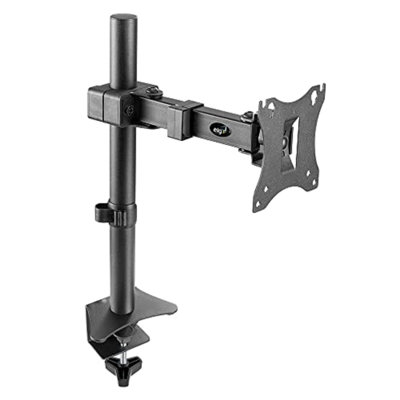
Most people buying a monitor arm at this price have one question before they buy: is this going to hold, or is it going to wobble and sag in a month? The F50N is built from carbon steel with electrostatic epoxy coating — the same material category used in professional AV mounting hardware. At $24.99, most competing arms are plastic composites. The F50N is not. <b>How does the height adjustment work on the F50N?</b> The F50N uses a mechanical sliding mechanism — not a gas spring. The arm slides up and down on the post and holds its position by friction. You set the height once to where you want it, and the arm stays. The range is 0 to 13.4 inches above the desk surface — enough to raise a 27" or 32" monitor from a flat desktop stand to seated eye level. If you need an arm you can reposition several times a day without effort, the F80N (gas spring) is the better fit. If you're setting a position and leaving it, the F50N does that cleanly. <b>What screens does the F50N support?</b> The arm supports 17" to 34" screens up to 15.6 lbs, with VESA 75x75mm and 100x100mm mounting patterns. That covers standard 24", 27", and 32" monitors in 1080p and 4K, as well as most 34" curved ultrawides. Weight capacity 15.6 lbs is above most monitors in this size range. If your screen weighs more than 15.6 lbs, check the spec sheet before purchasing. <b>What's the full range of motion?</b> The VESA head rotates 360° — portrait or landscape in either direction. The arm swivels 90° left or right from the base. Tilt is +10° forward or -10° back. This is a focused range: it's not the same tilt freedom as a gas spring arm. For most buyers whose desk is at a standard height, ±10° tilt combined with the height adjustment range is sufficient for a comfortable viewing angle. If you need aggressive downward tilt for a standing desk setup, the F50N's ±10° may not be enough. <b>How far does the arm extend?</b> The arm extends from 1.6" (nearly flush to the post) to 8.78" from the base. This moves the monitor closer to the user and away from the wall without occupying significant horizontal desk space. For buyers who need the monitor to reach farther out — over a keyboard tray, for example — note that 8.78" is the maximum extension. <b>What does the installation involve?</b> The F50N comes pre-assembled. Attach the C-clamp to a desk edge 0.2" to 1.57" thick, insert the arm post into the clamp, mount the VESA head to the back of the monitor. Three steps. No extra tools required. Built-in cable clips route display and power cables through the arm to keep the desk clean. Built by ELG, specializing in AV and ergonomic mounting solutions since 2002. The F50N carries NR17 ergonomic certification. Products available in 30+ countries.

Get it by Thu, Oct 29
A full-motion TV mount gives you swivel, tilt, and extension in one arm. The ELG MT400AR-EX goes further than most: the arm extends up to 16.5" (42 cm) from the wall, making it the right choice when a standard 10" arm isn't enough — corner installs, alcoves, or rooms where the viewing angle demands more reach. Everything else — the carbon steel construction, pre-assembled setup, cable organizer, and 3-year warranty — is the same as the rest of the MT400AR family. <b>What Is the Difference Between the MT400AR and the MT400AR-EX?</b> One spec: arm extension. The MT400AR extends up to 10.0" (25.5 cm) from the wall. The MT400AR-EX extends up to 16.5" (42 cm). All other specs are identical — same TV size range (26"–60"), same VESA compatibility (75×75 to 400×400mm), same weight capacity (66 lbs / 30 kg), same tilt (+5°/-10°), same swivel (90°), same material (carbon steel), and same 3-year warranty. Choose the EX if you need more reach; choose the standard MT400AR if 10" is sufficient for your room. <b>When Do You Need 16.5" of Extension?</b> The most common scenario is a corner install: the TV is mounted on a wall near a corner, and when you swing it toward the room, the arm needs to extend far enough that the TV clears the adjacent wall. With a 10" arm, a wide TV may not swing far enough. With 16.5", the TV can swing well clear of the corner and face the room directly. The EX is also useful in alcoves or built-in shelving, where the TV sits recessed and needs to pull further out to reach a comfortable viewing angle. <b>What Does "Full-Motion" Actually Mean?</b> Full-motion means the arm can swivel (rotate left or right), tilt (angle up or down), and extend (move out from the wall) — all independently. The MT400AR-EX swivels up to 90° in each direction, tilts +5° up or -10° down, and extends up to 16.5". When not in use, the arm retracts flat against the wall. Note: the maximum swivel angle is 90°, but the actual range achievable may be slightly less for larger TVs, since a wider panel requires more clearance to clear the wall at full swing. <b>How Do I Know If My TV Is Compatible?</b> Check three things. TV size: the MT400AR-EX fits 26"–60" screens. VESA pattern: look at the back of your TV and measure the horizontal and vertical distance between the four mounting bolt holes (in millimeters). If that pattern is between 75×75mm and 400×400mm, the mount fits. Weight: the mount holds up to 66 lbs (30 kg). Most 26"–60" TVs are well under this limit. Compatible types: LED, LCD, Plasma, and 3D. <b>How Hard Is the Installation?</b> The arm ships pre-assembled. You don't assemble the moving parts — they arrive ready. Installation is three steps: mount the wall plate to a single wall stud, attach the TV bracket to the back of your TV, then hang the TV on the wall plate. The kit includes a built-in bubble level so the mount is straight before you drill. Includes ±3° screen leveling to fine-tune the TV's angle after hanging. All bolts, anchors, and washers included. Works on wood studs, concrete, and brick. Built by ELG, a brand specializing in AV and mounting accessories since 2002, available in 30+ countries.

2 Colors
ELG Digital Door Lock SCFD100CZ, Touchscreen Keypad + Key Backup, IP54, 18-Month Battery, Auto-Lock, 50 Codes, USB-C Emergency, Chrome
By ELG
Gray
Get it by Thu, Oct 29
The ELG SCFD100PR is a wire-free keypad deadbolt in matte black that installs above your existing door handle — no Wi-Fi, no app, no hub required. Set a PIN, and it works. Powered by 4 AA batteries with up to 18 months of operation, it is the longest-running keypad lock in its class. Winner of the MUSE Design Award and International Design Excellence Award (IDEA). <b>Does This Replace My Door Handle?</b> No. The SCFD100PR mounts above your existing knob or handle. Your original door hardware stays exactly in place — this adds a keypad deadbolt above it. The installation template guides exact drill placement on the door surface. <b>How Long Does the Battery Last — and What Happens When It Gets Low?</b> Up to 18 months on 4 AA alkaline batteries at 10 daily uses. Most competing keypad locks in this category run approximately 12 months. The low-battery alert activates when voltage drops to 4.8V — with approximately 200 unlocks still remaining before the battery is fully depleted. That is enough time to replace batteries without urgency. Use alkaline batteries only for consistent performance. <b>What If the Battery Dies Before I Replace It?</b> Two backup options. First: two physical emergency keys are stored in a hidden compartment inside the exterior unit — rotate the compartment cover, insert the key, and unlock. Second: plug any USB-C power bank into the port on the exterior unit to temporarily restore power; then unlock using your saved PIN. Most keypad locks offer only a physical key as backup — the USB-C port is unique to the SCFD100 series in this class. <b>How Many User Codes Can Be Registered?</b> One administrator plus 49 common users — 50 total. Most keypad locks at this price point support 10–20 codes (TEEHO TE001: 20; Amazon Basics: 6). The administrator code is required to add or remove users. A voice setup assistant guides configuration in English or Portuguese. <b>Is This Lock Weatherproof?</b> Rated IP54 for dust and splash protection. IP54 means it handles rain splashes and moderate exposure to water — it is not designed for direct submersion or prolonged heavy rain without cover. Operates from -4°F to 140°F (-20°C to 60°C) at up to 95% humidity. Suitable for front doors, side entrances, and covered exterior applications. <b>What Security Features Does It Have?</b> Auto-lock: configurable to close the bolt 10, 20, or 30 seconds after unlocking — or disabled entirely. Decoy (anti-peeping) password: type random digits before or after your real PIN; the lock accepts any entry that contains your valid code. Error lockout: 5 consecutive wrong attempts disable the keypad for 60 seconds as an anti-intrusion measure. <b>Will This Fit My Door?</b> Fits doors 1-3/16" to 2" thick (30–50mm). Compatible with standard US backsets of 2-3/8" (60mm) and 2-3/4" (70mm). Requires a 2-1/8" (54mm) bore hole. Compatible with left and right-hand doors in any opening direction. Installation template is included. <b>What's in the Box?</b> External unit (touchscreen keypad, matte black) · Internal unit · Lock body · Door strike plate · Door mirror · Full hardware kit · 2 physical emergency keys · Installation template · User manual <b>Warranty</b> 2 years against manufacturing defects. Built by ELG, specialists in smart home and AV solutions with products sold in more than 30 countries.

Get it by Thu, Oct 29
The ELG UNI88 is a fixed low-profile TV wall mount for flat and curved screens from 14" to 100". It supports up to 100 KG (220.5 lbs), holds the TV 2.5 cm (~1 inch) from the wall, and features an auto-locking quick release plus a bottom support rail that protects cables and connectors. Backed by a 3-year warranty. <b>Will It Hold My TV?</b> The UNI88 has a confirmed capacity of 100 KG / 220.5 lbs — approximately twice the 99 lbs limit on most fixed mounts in this price range. It covers every TV in its size range: from a 14" kitchen screen to a 100" living room display. Weight capacity should not be the reason to choose a lesser mount. <b>Does It Fit My TV's VESA Pattern?</b> VESA compatibility runs from 75x75mm to 600x400mm — a wider range than most fixed mounts, which stop at 400x400mm. It covers small screens, non-standard TVs, large-format panels (600x400mm), and everything in between. Consult your TV's user manual to confirm your specific VESA spacing before ordering. <b>What Wall Types Does It Support?</b> The UNI88 works with wood stud walls at 12", 16", 18", and 24" spacing, and masonry walls (brick, concrete, cinder block). Most fixed mounts at this price are engineered only for 16" studs. No adapter or secondary hardware required for any supported spacing. <b>How Far From the Wall Will My TV Sit?</b> 2.5 cm (~1 inch). Fixed mount buyers choose this profile specifically — the TV appears as part of the wall, not a bracket system. The 2.5 cm clearance is consistent across the full VESA range and TV size range. <b>Does It Protect Cables and Connectors?</b> Yes. The bottom support rail keeps the TV perfectly parallel to the wall and prevents the TV from tilting backward, which would stress HDMI ports, power connectors, and any permanently attached cables. This rail is included with the bracket and engages automatically when the TV is seated. <b>Can I Access Cables After Mounting?</b> Yes. The auto-locking quick release (side-shifted snap + safety lock) lets you lift the TV off the wall bracket without removing any wall hardware. Reroute cables, swap HDMI ports, add a soundbar — then re-hang. The safety lock re-engages automatically when you re-seat the TV. <b>How Is Installation?</b> The UNI88 includes a full VESA drilling template covering all supported patterns from 75x75mm to 600x400mm, plus a complete hardware kit for wood stud and masonry walls. The template marks exact drill positions before any holes are made. Typical installation time: 30–45 minutes. <b>Does It Work With Curved TVs?</b> Yes. The UNI88 explicitly supports curved panels. Most fixed mount listings do not address curved TVs — the UNI88 accommodates them at the same 2.5 cm profile depth. <b>What's in the Box?</b> 1x UNI88 wall bracket + bottom support rail (Black) · 1x VESA drilling template · Complete hardware kit (bolts, anchors, wall screws) for wood stud and masonry walls. TV, TV-side VESA bolts (M4/M6/M8 per your TV model), and cable management accessories are not included. <b>Warranty</b> 3-year limited warranty against manufacturing defects. Contact ELG support for warranty claims. Built by ELG, specialists in AV, smart home, and security solutions with products in more than 30 countries.

Get it by Thu, Oct 29
Most people shopping for a monitor arm land between two options: friction arms under $30 that hold position today and sag tomorrow, and Ergotron-class arms at $150 that are excellent but hard to justify for a home desk. The F80N is the third option. Gas spring mechanism, 20.9 inches of reach, 115° of tilt range, both mounting options in the box — at under $50. It's ELG's most sold product worldwide, and it's been that way for years. <b>What's the difference between a gas spring arm and a friction joint arm?</b> A friction joint arm holds position by tightening metal joints against each other. Over weeks or months of adjusting, those joints loosen. The arm starts to drift slowly downward, or it gets stiff enough that moving it requires real force. The only fix is to re-tighten the joints — and then the cycle repeats. A gas spring arm holds position through constant calibrated pressure from a sealed gas cylinder inside the arm. The pressure is always there, whether you adjusted the arm an hour ago or six months ago. The F80N uses a gas spring. You move the monitor, let go, and it stays exactly where you put it. <b>How far does the arm actually reach, and why does it matter?</b> The F80N's arm extends up to 20.9 inches (53cm) from the base. Most budget arms in this price range reach 8 to 12 inches. The difference matters because a short arm can't get the monitor to where you actually sit — the screen ends up too far back, toward the wall, and you end up leaning forward or pushing the desk backward to compensate. At 20.9 inches, the F80N extends the monitor over your keyboard and into your natural line of sight. For reference, the Ergotron LX — the most recommended professional monitor arm at $150+ — has comparable reach. The F80N matches it at a fraction of the price. <b>What does the +85°/-30° tilt range mean in practice?</b> The VESA head tilts +85° backward and -30° forward, giving you 115° of total tilt range. For comparison, most budget monitor arms offer ±15° — 30° total. The practical difference shows up most in two scenarios: standing desk setups, where the monitor is positioned higher and needs to tilt downward toward the user (-30° covers this), and accessibility or specialized configurations where maximum backward tilt is needed. For standard seated desk use, a small forward or backward adjustment is all you'll ever need — but the F80N has no mechanical constraint if your setup is unusual. <b>What screens does the F80N support?</b> The arm supports 17" to 35" monitors weighing 4.4 to 19.8 lbs, with VESA 75x75mm and 100x100mm mounting patterns. That covers standard 24" and 27" 1080p and 4K displays, 32" curved monitors, and most 34" and 35" ultrawides. Weight capacity 19.8 lbs is above the spec of most consumer monitors in this size range. If your screen weighs more than 19.8 lbs — rare for desktop monitors — check the spec sheet before purchasing. <b>What mounting options are included, and how does installation work?</b> Both C-clamp and grommet hardware ship in the box. The C-clamp attaches to the edge of the desk and fits any desk 0.39" to 3.5" thick — covering the vast majority of solid wood, MDF, and metal desks. The grommet mounts through a hole in the desk surface. Three-step installation: choose your mount type, attach it to the desk, mount the monitor on the VESA plate. No extra tools needed beyond what's included. <b>How long will the gas spring last?</b> ELG tests the F80N's gas spring mechanism to 20,000 adjustment cycles. At one adjustment per day, that's over 54 years. At five adjustments per day — repositioning morning, midday, and a few times between — that's still over 10 years. The mechanism includes a tension adjustment screw that lets you calibrate resistance for your specific monitor weight, which keeps the hold accurate over time as you swap monitors. Built by ELG, specializing in AV and ergonomic mounting solutions since 2002. Sold in over 30 countries worldwide. The F80N carries NR17 ergonomic certification.

Get it by Thu, Oct 29
The ELG SHCI603 is a 1080P Wi-Fi indoor security camera with one feature no competing camera at this price point offers: an SOS button. One press alerts every registered user simultaneously with a live video and two-way audio connection — no app search required. <b>What Does the SOS Button Actually Do?</b> You designate one contact as your SOS recipient inside the ELG Connect app. When the SOS button is pressed, that person receives an instant push notification — similar to an incoming call alert. When they answer, they get a live video feed and an open two-way audio channel. No siren, no alarm sound — a direct, quiet call to the person you trust. Built for homes with elderly relatives, children home alone, or anyone who needs a one-press way to reach a specific caregiver or family member. <b>Do I Need a Subscription to Record Footage?</b> No. The SHCI603 records locally to a microSD card up to 128GB at no cost. Cloud storage is available separately as a paid service if you prefer remote backup. Many competing cameras — including Blink — require a paid subscription to access recorded footage. With local storage, your recordings are available in-app whenever you need them, at no ongoing cost. <b>How Clear Is the Video — Day and Night?</b> Full HD 1920×1080p during the day, with a 110° wide-angle lens that covers most living rooms, nurseries, and entry areas without needing to pan. At night, the infrared sensor activates automatically at 0.01 lux minimum illumination, with a range of up to 5 meters. Night mode switches from color to black-and-white for maximum clarity in low light. 6x digital zoom is available for reviewing recorded footage in detail. <b>What Triggers Motion Alerts — and Can I Reduce False Alarms?</b> The camera detects both motion and sound. You can define a specific detection zone within the frame — so a ceiling fan or a window with outdoor movement does not trigger constant notifications. Sensitivity is adjustable per your environment. Notifications are delivered instantly to your iOS or Android device. Privacy mode disables all recording and detection with a single tap in the app. <b>Can I Connect This to My Existing NVR or Security System?</b> Yes. The SHCI603 supports ONVIF Profile S, which allows integration with network video recorders and professional monitoring platforms. Most consumer cameras at this price point do not offer ONVIF. Up to 16 users can monitor the camera simultaneously in real time — useful for property managers, shared spaces, or multi-person households. <b>How Is It Installed — and What Are the Wi-Fi Requirements?</b> Connects to 2.4 GHz Wi-Fi only (not 5 GHz). No hub or bridge required. App: ELG Connect — free download on iOS 9.0+ (App Store) and Android 5.0+ (Google Play). Setup via QR code in the app takes approximately 10 minutes. Can be mounted on a wall or ceiling — mounting kit included. USB-C powered with auto dual-voltage power supply (110–240V). <b>What's in the Box?</b> 1080P indoor camera · 5V USB-C power supply · USB-C cable · Mounting kit and hardware · Pin key · Decorative antenna · User manual <b>Warranty</b> 1-year limited warranty against manufacturing defects. Contact ELG support for warranty claims. Built by ELG, specialists in smart home, AV, and security solutions with products in more than 30 countries.
Get it by Thu, Oct 29
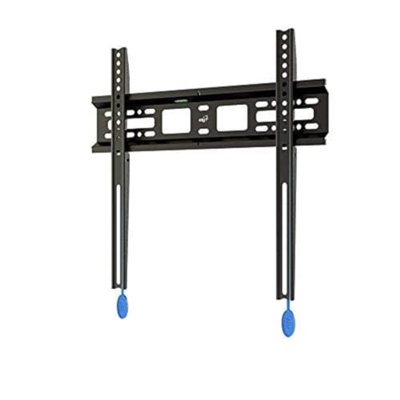
Most people put a TV on a wall and leave it there. The TV doesn't need to swivel. It doesn't need to extend. It just needs to stay on the wall, as flat as possible, and look clean. The ELG N01V4 is built for exactly that: a 1.14-inch profile places your TV 29mm from the wall, the auto-lock mechanism snaps it in place when you hang it, and pull straps let you take it down without a screwdriver. <b>What Is the Auto-Lock System, and How Does It Work?</b> The N01V4 uses a two-piece mounting system: a wall plate that screws into your wall stud, and a TV bracket that bolts to the back of your TV. When you lift the TV and lower it onto the wall plate, a mechanical locking mechanism engages automatically — the bracket clicks into the wall plate and locks. No screwdriver needed to secure the TV once the initial installation is done. To remove the TV, pull the built-in release straps to disengage the lock, then lift the TV off. This makes it practical to remove the TV for cable access or repositioning without a full dismount. <b>What Does "Fixed" Mean — Can I Adjust the Angle After Mounting?</b> Fixed means the mount holds the TV in one position, flat against the wall. There is no tilt (up/down angle adjustment) and no swivel (left/right rotation). The TV faces exactly where the wall faces. If your couch is directly in front of the wall and you don't need to angle the TV toward a different seat, a fixed mount is ideal. If you need to adjust the viewing angle, you want a tilt mount (±10° up/down) or a full-motion mount (swivel + tilt + extension). The N01V4 is the right choice when the wall position already gives you the angle you need. <b>How Do I Know If My TV Is Compatible?</b> Check three things. TV size: the N01V4 fits 26"–65" screens. VESA pattern: look at the back of your TV and measure the distance between the four mounting bolt holes (in millimeters, horizontal × vertical). If that pattern is between 100×100mm and 400×400mm, the mount fits. Weight: the mount holds up to 110 lbs (50 kg) — sufficient for virtually all TVs in this size range. Compatible TV types: LED, LCD, OLED, and Plasma. Works with Samsung, LG, Sony, Vizio, TCL, Hisense, and all brands that follow the VESA standard. <b>Does This Work With My Wall? What Stud Spacing Do I Need?</b> The N01V4 is compatible with 12-inch and 16-inch wood stud spacing — most fixed mounts only support 16-inch. If your studs are spaced at 12 inches (common in older construction or certain room types), the N01V4 will still fit. It also works on concrete and brick walls with the included anchors. If you're unsure of your stud spacing, a stud finder will confirm it before you drill. <b>What Is the 1.14-Inch Profile, and Why Does It Matter?</b> The profile is the gap between your TV and the wall once mounted. At 1.14 inches (29mm), the N01V4 places your TV as close to the wall as most fixed mounts allow. In practical terms: the TV will look like it's mounted directly to the wall rather than sitting on a bracket. Most cable management (HDMI, power) will still need to exit at the bottom or side of the TV — plan your cable routing before mounting if you want a clean look. Built by ELG, a brand specializing in AV and mounting accessories since 2002, available in 30+ countries.

ELG Full Motion TV Wall Mount, 12"-42" TVs up to 66.1 lbs, Swivel, Tilt, 10" Reach, VESA 75x75 to 200x200mm, Pre-Assembled, Bubble Level, Carbon Steel, Black
By ELG
Rated 5 out of 5 stars.1 total vote
Get it by Thu, Oct 29
<b>Full motion vs. fixed: what's the actual difference? </b> A fixed mount holds the TV permanently in the position you hang it. A full-motion mount lets you reposition the TV any time after installation — no tools, no removal. The FULL20 arm extends 10 inches out from the wall, swivels 90° left or right, and tilts the screen up to 20° downward or 5° upward. You can pull it toward you, angle it toward a different seat, push it flat against the wall when not in use, or tilt it down from a higher mounting position. If your viewing setup changes — different chair, different time of day, different person — a full-motion mount handles it. A fixed mount doesn't. `<b>Can I mount the TV higher on the wall and still see it comfortably?</b>` Yes, and this is where the FULL20's tilt range matters. The arm tilts 20° downward — more than the 15° limit on Amazon's house-brand mount and the 11° limit on most Pipishell models. When you mount a TV above a dresser, nightstand, or fireplace, the screen is above eye level and needs to tilt down toward the viewer. At 20° of downward tilt, the FULL20 covers most bedroom and living room configurations where the TV is mounted higher than ideal. If you're mounting at eye level from a seated position, you won't need much tilt at all — but it's there when the room requires it. `<b>How far does the arm actually extend?</b>` The arm extends up to 10 inches (25.5cm) from the wall and folds back to 2.6 inches (6.5cm) when not in use. Ten inches is enough to pull a 32" or 42" TV out from the wall, clear of shelving or a TV stand, and swing it into the viewing position. It is not the longest arm in this category — some competitors reach 14 to 16 inches — but 10 inches covers the typical use case of "off the wall and in front of me" without excessive arm weight at full extension. `<b>Will the FULL20 hold my TV?</b>` The FULL20 holds up to 66.1 lbs (30 kg). Most full-motion mounts in this VESA size range cap at 44 lbs — the FULL20 carries 50% more. For a 40" or 42" TV, which typically weighs between 20 and 40 lbs, the extra capacity means the arm holds position without drift under heavier panels. Compatible with flat and curved TVs from 12" to 42" with VESA mounting patterns 75×75mm, 100×100mm, 200×100mm, and 200×200mm. Your TV's VESA pattern is listed in the owner's manual and printed on a label on the back of the TV. `<b>What is the FULL20 made of, and will it hold long-term?</b>` The arm is built from carbon steel with electrostatic epoxy anti-corrosion coating. Carbon steel is heavier and stiffer than the aluminum or ABS-plastic frames common in budget mounts — it holds position under load without flex or wobble at the joints. The epoxy coating prevents surface corrosion in humid environments. This is the same material and finish standard ELG uses across its full mount lineup. `<b>What walls can the FULL20 mount to, and what's included?</b>` The FULL20 installs on wood studs, brick walls, and concrete surfaces. The mount comes pre-assembled from the factory. The box includes complete hardware kits for both the wall installation and the TV attachment — screws, bolts, spacers, and a built-in bubble level for alignment. Set the wall plate level before drilling and the TV will hang straight on the first attempt. No additional hardware purchase required. Built by ELG, specializing in AV and ergonomic mounting solutions since 2002. Products available in 30+ countries.
Great and durable. Anonymous. Sun Aug 09 2026